Tuesday, October 24, 2006

One of the coolest online organizers I've seen

I saw this on Techcrunch a few weeks ago and haven’t had time to look closely until today.  Skrybe, which hasn’t officially launched yet, is a browser-based organizer that lets you edit and interact with your data whether you’re connected to the internet or not.  Check out the short video over view on the Skrybe site and I’m certain you’ll be impressed.  It offers:

  • Seamless offline access - without any installations
  • Rich and fast like a desktop
  • Intuitive zoomable calendar views
  • Organize your thoughts with bookmarks, web snippets, images and files
  • To-do lists integrated with your calendar
  • Share and collaborate with friends and co-workers
  • Elegant, compact and handy print formats
  • Easily work across multiple timezones
  • Import and export from other apps easily. Your data is yours!

I was most impressed by three things:

1.  The way Skrybe handles time-zones seems to be intuitive and very easy to use.  It’s one of the few products I’ve seen that assume that you’ll be working with people in various time-zones and visually helps you set appointments with them.  Very cool.

2.  The zoomable calendar looks very slick.  It’s fast and again, intuitive to use.

3.  Skrybe allows you to print out your data in a format that is formatted in such a away as to make it easy to fold up and take with you.

Again, take a look at the video and see what you think.  The seems like the first app I’ve seen in a while that seems to begin with the actual, day-to-day needs of regular people.  We’ll see when the product goes public.

Monday, October 23, 2006

Treo 680 headed to Cingular

Engadget is reporting the inside scoop from an internal Cingular powerpoint presentation that the new Treo 680 will be released to Cingular.

It'll have everything we've been expecting: Palm OS 5.4.9 with that new five-tabbed quick access (dial pad, favorites, home screen, contacts, call log), quad-band GSP / GPRS / EDGE, 312MHz XScale processor, 2.2-inch 320 x 320 display, SDIO, Bluetooth 1.2, IR, PocketTunes, 1200mAh battery, and a 4.41 x 2.36 x 0.88-inch body weighing in at 5.28 ounces.

No details yet as to WHEN.

Thursday, October 19, 2006

Prayer card of the future...redux

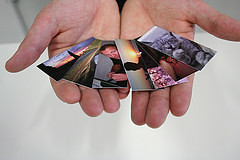
Several weeks ago I mentioned a new on-demand print solution for small business cards…or in my case, prayer cards.  I ordered a bunch, but haven’t seen them yet because I’m on the road.

Amber over at Download Squad also ordered a batch.  She says they’re great, high quality and, well…cute.  She posted several pictures there too.

Disable (or modify) tab scrolling in FF2

One of the things that has annoyed me about Firefox 2.0 is the way the tabs are created to a set width and once you’ve opened five or six tabs you have to start scrolling through them.

Lifehacker tells you how to modify the tabwidth or disable the scrolling.  This is a great hack; once I have 18 tabs open, I want to know it!

via Lifehacker

Firefox 2.0 almost ready to ship

Read more at TechCrunch.  There isn’t apparently much new between Release Candidate 3 and the official release version.  Once the extensions (add-ons in FF2) get written compatibly this is going to be great.  The built in spell-checker is great for commenting on blogs and online forums, etc.

More on the Treo 680

Brian over at Brighthand has a nice little review of the new Treo 680 I mentioned a few days ago.  This is really going to be an interesting line-up, especially for those of us who aren’t looking for a high-end ‘smartphone.’  I was really interested in the 700p but it has built-in support for high-speed EVDO which won’t do me a bit of good where I live in Kosovo.  I need a quadband

It also has 64MB of memory, twice that of the 650 and support for 2GB SD cards for all that multimedia content that’s fun to carry around.  Also, according to Bryan:

To further make the Treo 680 an outstanding value, Palm is offering a bundle, for the foreseeable future, that includes many of the accessories that new buyers need right away. This kit includes a 1 GB SecureDigital card, a headset, and a 30-day trial to Yahoo Music Unlimited.


Tuesday, October 17, 2006

Packing tools for life on the road

I need to admit on the outset that I’m not really a road warrior in the consultant-life-on-the-road sense of the word.  My trip are usually fairly short, or I end up staying where I’ve gone for long periods of time.  But for the last five weeks I have been on the road visiting with churches and staying in people’s homes.  While staying in homes has many advantages one thing that it does not afford is the ability to unpack one’s bag. 

Not only am I no road warrior, I’m also probably the worst folder-of-shirts that can be imagined.  No matter how carefully I fold my things they’re a mess by the time I take them out of the suitcase.  Before this six-week tour I invested in a couple of things from Eagle Creek, the folks that make odds and ends for travel. Eagle Creek makes a number of various sized “folders” which help in folding shirts and packing them in such a way that they don’t get wrinkled, or at least don’t get wrinkled as much.  Their web page has illustrates the various sizes, but doesn’t illustrate how clever the design is.  Each folder has a fairly rigid plastic “folding board” of the type you might use if you worked for GAP or other clothing store.  The folding board has printed instructions on it that even someone like me can understand.  When used each shirt is folded to the same size and then can be placed in the folder, velcroed up and put in your bag.  Besides helping your clothes to say comparatively unwrinkled, they also make it very easy to sort through your things when you can’t unpack your suitcase.

I bought three, one for long-sleeved dress shirts, one for short-sleeved shirts and one for pants.  Packing and re-packing is a breeze.  If you can’t fold a shirt to save your life and you live out of a suitcase for periods of time these may be worth checking into.  I bought mine retail from an Outdoor Provision Company store I stumbled across.

Monday, October 16, 2006

Firefox Instant Calculator

I’ve been using Firefox RC2 for the last few days.  Overall I like it, though there are some of my older extensions that I can’t quite get to work.  Lifehacker points out that there’s an instance calculator available through the Google search bar.

Pretty slick.

Friday, October 13, 2006

Palm announces the "low price" Treo 680

There have been rumors of (several) new Treo’s floating around for months.  Then a few months ago Palm released the 700p, which is the Palm version of their first-ever Windows Mobile 700w.   Yesterday Palm announced the Treo 680 which should come in under $250.  Check out the pictures from the Gizmodo post.

The 680 isn’t ground-breaking in terms of features, but it does open up the Treo line to a whole new demographic who want a cheaper, but full-featured smart phone.  I’ve been watching Ebay for months for a good price on a Treo 650.  Since the release of the 700p prices on 650’s have begun to drop slightly, but not quickly or sharply enough.  The 680 may be the smart-phone for a guy like me who wants a full-featured phone with Palm OS but doesn’t have a corporate budget to back up the purchase.

Here are some of the specs from the Palm site:

64MB user storage Memory
320 x 320 pixel TFT touchscreen 
Wireless
352 x 288 pixel resolution Digital Camera
Full QWERTY key layout with backlighting
Expansion Slot for SD I/O cards
 
See also this good post from Treonauts here.

Thursday, October 05, 2006

Final status issues becoming more complicated

Life is always interesting in the Balkans.  As many know Kosovo is in the midst of negotiations to determine the final status of the essentially independent province.  Though legally still a part of Serbia, Kosova is essentially a non-state country run by the United Nations. Negotiant ions are currently underway in Vienna, Austria to determine its final status.

Naturally the country of Serbia wants to hold on to Kosovo, which it sees as an important, historic part of the Serbian nation and people.  The 90–95 percent Albanian population of Kosovo wants to become an independent state.  Into this mix comes a new Serbian constitution.  Earlier this summer Montenegro succeeded from the country called Serbia-Montenegro triggering a rewrite of former country’s constitution.  Last Saturday the Serbian parliament voted overwhelmingly to approve the new constitution which declares Kosovo to be an “integral part” of Serbia.  Though the constitution still needs to be approved by a public referendum scheduled for Oct 28th, the message is pretty strong.

The UN Special Representative of the Secretary Genera, the man responsible administering, Kosovo quickly fired back that “the adoption of a Serbian constitution defining Kosovo as integral part of Serbian territory will have no effects on the final political status of this province” [quote from the article, not from Joachim Ruecker the SRSG].  On Monday the US State Department fired its own warning shots.  According to spokesman Tom Casey, "Neither party is going to unilaterally decide this," Casey said. "This is going to be something that's going to have to be worked out among them through this negotiated process."

Now the whole timetable for discussions is up in the air because negotiations may be delayed until after the Serbian Parliamentary elections which may be called for in late November or early December.

The bottom line is that Serbia will not willing let go of Kosovo, though interestingly a recent Reuters article (through KosovoReport) says that though fifty-eight percent of Serbs want Kosovo to remain part of Serbia, only twelve percent actually believe it will happen.  The Albanians of Kosovo will not willing remain within the country of Serbia.  While all sides would prefer a negotiated settlement on the issue an imposed one may be necessary and that doesn't bode well for peace in the Balkans.


More team tools

From time to time I post new services that may be helpful to geographically-disbursed, communicationally-challenged groups.  Google Groups just announced some upgrades to their popular discussion groups.

Use it for information about your group, shared documents, or anything you want to publish online. Any member can view, contribute to, and comment on the pages, from right within your group.

In less than about three minutes I set up a group for our particular field:Googlegroups (Small)

For missionaries with decent internet access this would made a handy place for ongoing field discussions, posting of organizational documents, mailing lists, etc.

When a group member makes changes to the site all the group members can be notified by email or xml feed.

And of course, its all free and very intuitive.

via Lifehacker

Tuesday, October 03, 2006

Meal-time etiquette

Every culture has its own set of relatively fuzzy meal-time manners.  This becoming more apparent to me recently as I have had both “hosted” and “been hosted” on my travels on “missionary tour.”  As I’m getting older I’m coming to realize more and more that proper etiquette isn’t about a stuffy set of rules and behaviors; etiquette is a set of guidelines to help people treat people kindly and to facilitate relationships.

You may think this is a post complete with missionary jokes about eating in exotic places, but its not.  Though I could write a little about that, this is more about how to treat people kindly over dinner.  To that end I want to point you to two pod-casts from the guys at Manger-Tools.  These aren’t Emily Post talks, or notes from Miss Manners.  They’re practical tips on how to have be a polite host or guest over a meal.  They cover things like how to seat larger groups of people, where the host should sit and how you should arrange for the paying of the bill.  This is important stuff for those of us who work with people regularly.  I was invited to a dinner recently where I was the only “new” person in a large group and where people wanted to hear about missionary work in Kosovo.  Rather than being seated near the middle where I could interact with a broader group of people, I was seated on the end where I could only conveniently talk to three others.  That’s not a big deal but I missed out on meeting some pretty neat people!

These two podcasts are distinctly oriented for the North American business world and the business dinner, but there is a lot of good information here for people who are spending their time making connections with relative strangers.  Here is their introduction:

So, are you up to speed on how to have a business meal? Or even worse, HOST the meal yourself? You are? GOOD! Then you already know when to start talking business, and whether it's different at breakfast, lunch and dinner. You know how much alcohol to drink, and how many glasses of wine there are in a bottle. And the ideal way to pay for a meal, or what to do when the check comes. If you know all THAT, then we bet you also know where to seat your guests, and yourself, whether there are 2 or three of you. And, of course, what to order, and what NOT to order. Soup, you say? NO. And if you're not sure... that's why there's a Manager Tools podcast covering all that and more

Part One

Part Two

If you’re in ministry and are regularly hosting or being hosted these two podcasts are great.  Give them a listen.

UPDATE: Sorry but the links above are dead.  Here are the permalinks for the two podcasts: One, Two. 

Sunday, October 01, 2006

Windows XP SP1 support ends October 10

If you haven't upgraded your Windows installation to service pack two you should do so as Microsoft is apparently ending support for that version on October 10. 

via Mary Jo Foley

Thursday, September 21, 2006

The prayer card of the future?

I saw a pretty neat deal on Lifehacker yesterday.  A company called Moo, which does on-demand printing, is offering Flickr users 10 free “minicards” which are like small business cards.  If you follow the link below you can pick pictures from your own Flickr photostream and then add the text of your choice on the back.

I ordered mine using pictures of Kosovo and my family with my contact information printed on the back.  This kind of deal may take the place of larger run print jobs.

In fact, as I think about it, I could use something like this in place of the expensive magnetic prayer cards I just had printed up.  That experience was horrible.  I’ll write about that a little later.

Anyway, if you’re a Flickr Pro user and want to try out these free cards check out Moo Flickr Minicards. 

Wednesday, September 06, 2006

A new $600 router in my back yard

Wow, this is my first post in a long, long time.  My family and I are finally settled into the parsonage at our Raleigh church home, getting things unpacked and settling the kids into school…their first time in North American schools.  The only drawback to our living arrangements has been the lack of internet access.  The church has a good DSL connection, but the problem was how to get that to the back of the property.

Several years ago the church built a “multi-purpose building” aka gym and during that process they laid down underground conduit to connect all the buildings.  So this week the youth pastor and I have been pulling CAT5 network cable and tonight we finally had internet in our home at long last.

The final piece was the wireless connection between the Education Building and our home, which is across the parking lot.  I thought about a number of options, including wireless repeaters, signal boosters and bridges.  In the end, I thought it would be easiest to put an access point in the Ed Building and hope I could get a solid signal at my house.

The secret to the deal is an article I read on LifeHacker back in June.  It described how to turn a $60 router into a $600 router by replacing the firmware with DD-WRT firmware.  After a little shopping around I found a Linksys WRT54G on sale for $49.99 and bit the snatched one up.

Because the 54G has a lot less memory than others in the series I had to use the “micro” version of the firmware found at the Bitsum Tech Wiki along with installation instructions.

The DD-WRT firmware upgrade is fantastic.  Among the many awesome things it allows you to do is to control the radio's power.  By default the Linksys is set to 28mW.  The DD-WRT allows you to change that all the way up to 251mW.  I didn’t try it but I think if you set your transmit power to 251mW the magic smoke would promptly leak out leaving you with a bricked router.  I set the power at the suggested 70mW and left it alone.

So far I’m really excited about the solid performance and tweaking I’m able to do.  I’d really recommend this for anyone who is trying to reach into those far corners of their home or yard.  All the other stuff is just a bonus.

Thursday, August 17, 2006

Getting Things Done...various tools

I’m a big fan of David Allen’s “Getting Things Done,” which is a powerful time-management/productivity methodology.  This week Jason Clark from the Downloadsquad writes a two-part article on GTD.  Specifically, he compares using Microsoft Outlook versus web-based products as your “organizer”  Both posts are worth the read if you’re into GTD.

Part One

Part Two

In summary, Jason like the online options, citing the strength of having your “stuff” anywhere you might want it.  It’s also pretty robust, can’t be stolen, etc. The downside, and this is the killer for me and most missionaries I know, is how reliant on internet connectivity it is.  Until the whole world has broadband, and that will be a looonngg time, no web-based anything is going to be very useful.

Color-code your folders

Like you I have a lot of folders under My Documents.  Sometimes it takes me several moments to find the one I’m looking for which irritates me and wastes time.

Yesterday Lifehacker had a post on how to color-sorting your folders by color.  The little application, Folder Marker lets you:

….change folder icon (mark folders) by priority (high, normal, low), level of project completeness (done, half-done, planned) and type of information stored in them (work, important, temp and private files).

I downloaded it and tried it out.  But while looking at the Lifehacker comments I found a little application that I like better.  Try out icolorfolder for a great way to add color to your folders.  It’s a great way to make that commonly used folder pop out visually, helping you find it just a little bit quicker.  Once installed, simply righ-click on the folder you want and select the color you’re looking for.


Sunday, August 13, 2006

Where is that old command in Office 2007?

Microsoft is trying hard to make sure people can successfully navigate from older versions of Office to the new Office 2007.  Personally, the new version is so much more intuitive that I don’t think people are going to have too much trouble.  BUT, if you’re worried that you’ll get lost in the new “ribbon” interface, here is hope. 

The interactive screen takes allows you to navigate through a Word (or whatever) system of menus to find your old favorite command.  When you’ve drilled down and found it, it pops up the new Office 2007 interface to show you how to find the old command.  Neat.

Here are the links:

via Marc Orchant

Saturday, August 12, 2006

Incompetence really hurts

For some reason I’ve gotten hooked on this crazy Manager-Tools podcast.  I’m not a manager, I’ve never been a manager in the technical sense of the word.  But these two guys are always putting out interesting stuff that from which I learn a lot.

A couple of weeks ago Mark Horsman briefly posted on Incompetence and an article from the Harvard Business Review.  The key findings?

Incompetence is far more pernicious than we realize. “Incompetent people don’t perform up to speed, don’t recognize their lack of competence, and don’t recognize the competence of others.”

It’s the last two statements of the drop quote that are most troubling.  Incompetence people don’t recognize that they are incompetent…and guess what, they can’t tell whether you’re competent or not either! 

I’m fortunate to work with a lot of very, very highly competent people in my organization and in my immediate team.  There isn’t a dud among them.  But articles like this, and the research a paper here always make me wonder how we handle competence and management in Christian circles.  We trust God a lot, and we trust that the Holy Spirit will straighten people out.  Fortunately God is really, really good, but maybe we’re missing some things. 


Voice Recognition in Vista shaing up nicely

Ever since Captain Kirk started talking to the "ship's computer"  voice recognition has kind of been a  "holy grail among computer users.  The ability to either dictate, or  better yet, command a computer using the human voice has had a very high "gee whiz" factor, to say nothing of productivity enhancement.
Windows Vista is delivering some really significant advancements to "voice reco," especially the ability to give the computer real world commands.  You have to check out this awesome video demonstration by Long Zheng if you're even remotely interested.  Microsoft has done some great work helping the computer do precisely what you're asking.  Long has an Australian accent and Vista rarely hesitates.

Hat tip to GottaBeMobile.com